Triangulations to Datamine Wireframe
To export a Layer (Network Layer or Development Network Layer) Triangulation to Datamine Wireframe (*.dm, *.dmx) file format:
-
Right-click on a layer triangulation and select Export | Triangulations to Datamine Wireframe.
A Triangulation layer should be selected. A Shape or Text layer selection will be ignored. Click OK to continue.
-
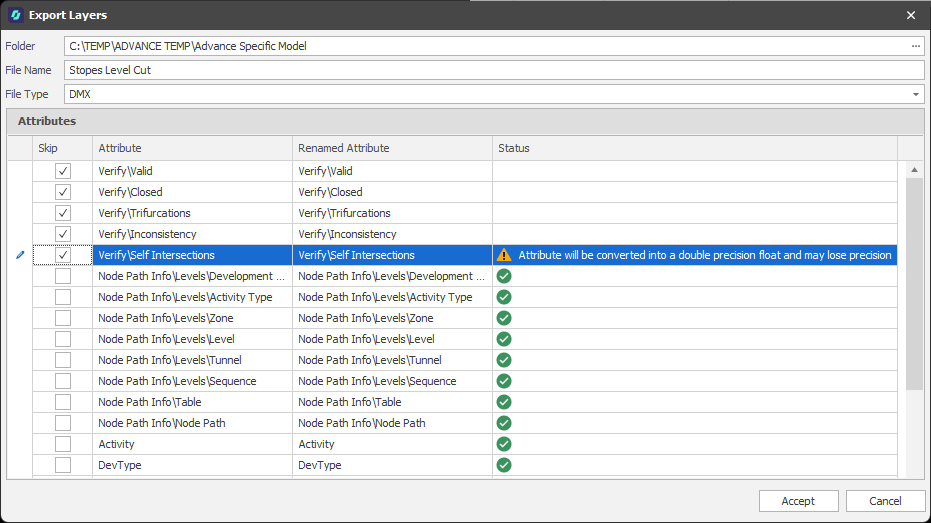
In the Export Layers dialog, specify a Folder location and a File Name for the exported file or accept the defaults.
The default file location is the current model/project folder. The default name of the exported file is the name of the layer you are exporting.
-
Choose a Datamine Binary (.dm, .dmx) File Type.
-
A preview of the Attributes that will be written to the export file is shown. You can choose to Skip attributes (exclude them from the export) or rename the attributes written to the file.
-
Click Accept to begin the export process.