

Export
In the Design Data pane, right-click on a block model layer and select an option from the Export menu to export your block model to an (.xml) Properties file, to a Micromine (.dat) block model file, or to a Comma Separated Value (*.CSV) file.
When exporting to a Micromine (.dat) or Comma Separated Value (*.csv) file format, an exact copy or a reduced or transformed copy of the underlying block model file can be exported. Overall file size can be reduced by applying a grouping expression and one or more filter conditions.
You will be prompted to navigate to the location of the Output block model file.
The default Save location is the current project folder.
Specify reduction parameters on the following pages of the Reduce Block Model Wizard:
-
Use the Filter Options page of the Block Model Export Wizard to filter which blocks will appear in the exported block model. See: Filter Options
-
Use the Field Options page of the Block Model Export Wizard to populate the exported block model with user-defined calculated fields. See: Field Options
-
Use the Import Options page of the Block Model Export Wizard to choose how the exported model is imported and displayed. See: Import Options
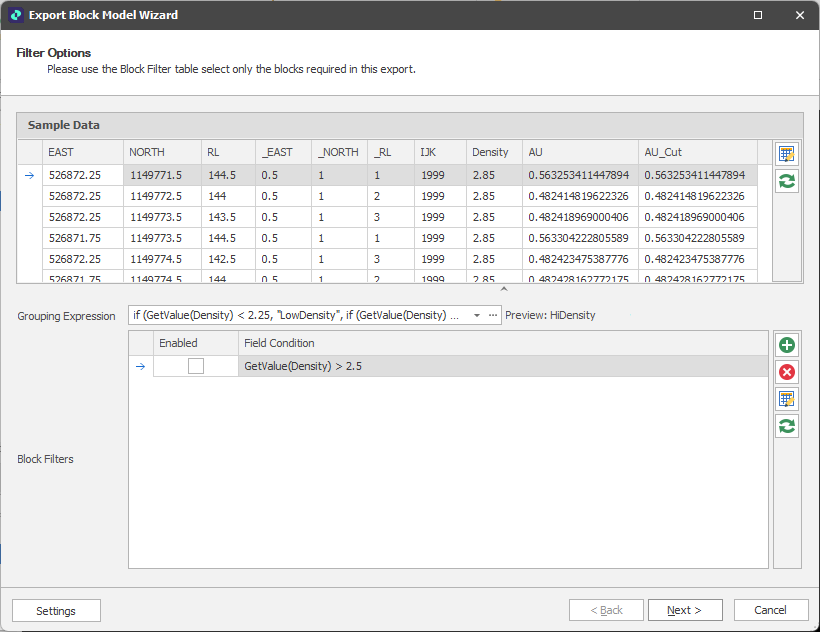
Block Model Export Wizard