

User Interface
This
 Backstage Menu
Link to Nexus Workspace
The Link to Nexus Workspace option has been added to the New Project backstage form to allow linking of the new local project to existing Nexus Workspaces.
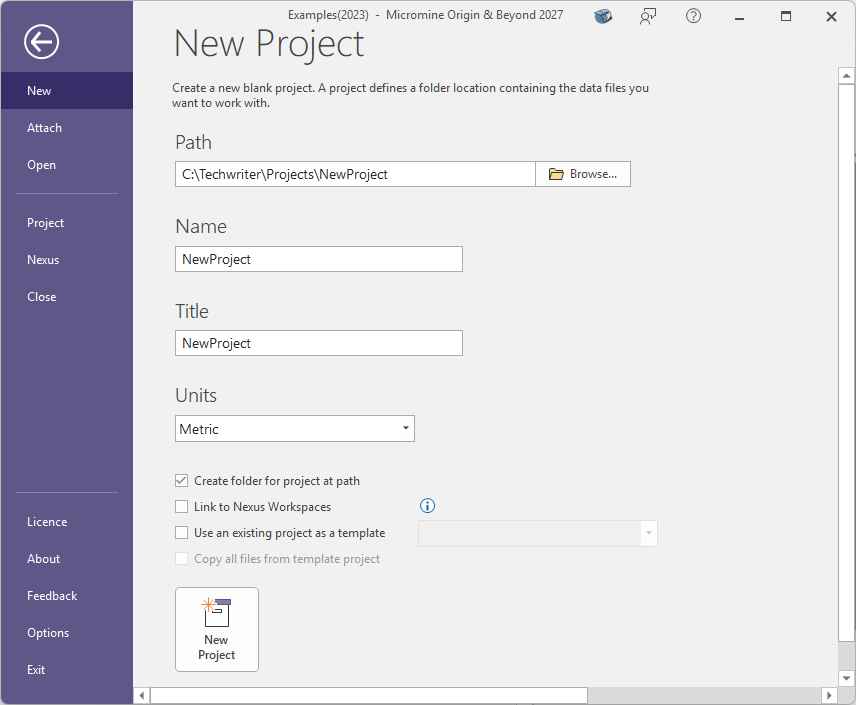
When enabled, the sign in and link project operations will be required when the project is created. After the projects are linked, all files in the Nexus Project will be automatically downloaded into the local project you have created.
Note: This operation requires a Micromine ID and an internet connection.
For more information, see New.
Symbology
Colour Palette Location
The Location option has been added to all forms with a Colour Palette option. For example, the Select Numeric Colour Palette form:
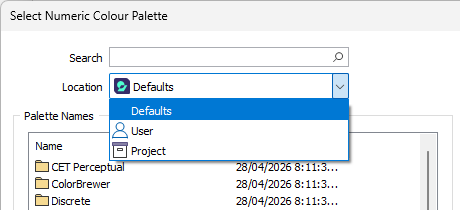
The Location drop down is used to select the root of the folder for the associated colour palette file. Besides the Defaults location, you can select the User or Project folders for the location.
With the use of the User profile folder, colour palettes can be shared across projects.
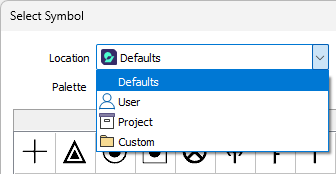
The Location option has also been added to Symbol Palette selection options - such as the Select Symbol form:
For more information, see Colour Palettes.