

Surface Points

The Surface Points Modelling form can also be opened for DTM creation using the Interpolate Surface tool on the Grid / DTM tab, in the DTM Create group.
In most cases you will need to carry out some trial and error processing to determine the optimum settings for the parameters in the Grid Definition tab of the Surface Points form.
Use caution with this function. It is intended for sparse data and should only be used with a small number of input points (< 5000). Including too many points may overwhelm the PC whilst producing a poorer result than would be achieved using fewer points.
Input
On the Input tab of the Surface Points form, specify the name of an Input file and the names of the required fields in the file.
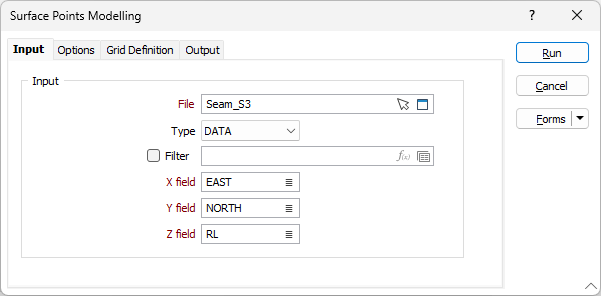
File
Select a file Type from the drop down and double-click (or click on the Select icon) to select the name of the file containing your data. You can also click the Pick from Vizex button to collapse the form and interactively select a layer containing the file to be inserted and return to the form.
Filter
Optionally, select or create a filter to limit the data that is processed.
If you select the Filter check box, you can select an existing filter or create one using the Expression Editor by clicking the icon.
Grid/Interpolated field
Double-click to select the name of the field containing the values that will be used for the calculations.
X and Y fields
Double-click to select the name of the fields containing X and Y coordinates.
Forms
Click the Forms button to select and open a saved form set, or if a form set has been loaded, save the current form set.