

Create Intersections

Interval File
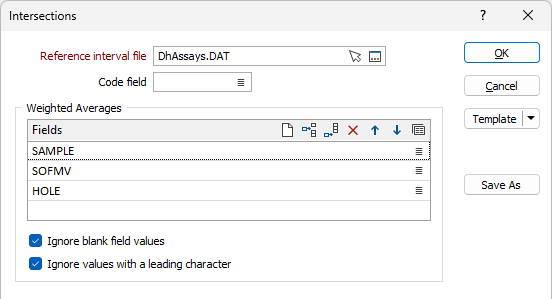
Double-click, or click on the Select icon, to select the name of the Interval file that contains the data to be used in intersection calculations. You can also click the Pick from Vizex button to collapse the form and interactively select a layer containing the file to be inserted and return to the form.
Code field
If a Code field is specified, code values will be written to the Output file in addition to the calculated length weighted average values. Double-click or click on the List icon, to select a Code field.
Weighted Avergaes
Use the grid to select the names of the fields in the Intersection file that will be used to calculate the grade of intersections. The Input fields you select must be Numeric fields. The intersection calculation will calculate an average, weighted by the sample length (To field - From field) of these fields. Use the buttons on the local toolbar to Manage the rows in the list.
Ignore blank field values
When NOT selected, blank field values are considered equal to zero and are included in calculations.
Ignore values with a leading character
When NOT selected, a value with a leading character other than “+”, “-”, “0-9” ,or ”.” is considered equal to zero.
Output
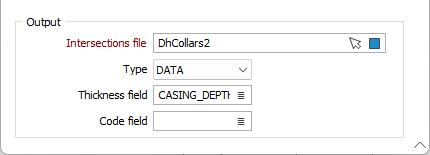
Select the check box to write the results of the intersection calculations to an Output file.
Intersections File
Enter (double-click or click on the Select icon to select) the name of an Output intersections file where the results of the calculation will be written. You can also click the Pick from Vizex button to collapse the form and interactively select a layer containing the file to be inserted and return to the form. If the file exists it will be overwritten.
Type
Select the file type for the output file using the drop down.
Thick field
Enter (double-click or click on the List icon to select) the name of the field to which Thickness values will be written.
Code field
Enter (double-click or click on the List icon to select) the name of the field to which Code values will be written.
For information on using the output file in the drillhole log, see Displaying Intersections.