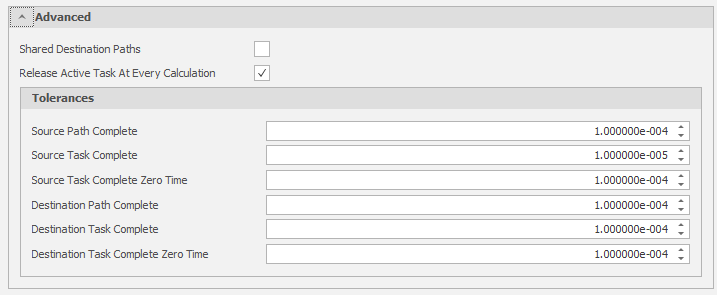
General
Simulations
By default, a new Scenario includes all three simulations (Source Scheduling, Destination Scheduling and Haulage). Start by deselecting the simulations you don't want to run.
The Simulation that are selected will determine which tabs are available at the top of the Settings window.
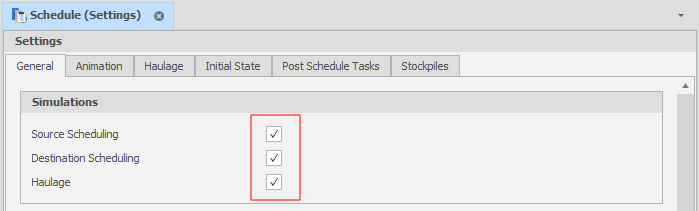
Data
Relevant Tables can be set here. Note that the Calendar Table is optional.
Source Table
When Source Scheduling simulation is enabled, you'll need to set your Source table, typically "Deposit".
Destination Table
When Destination Scheduling simulation is enabled, you'll need to set your Destination table (in the Data group) and your Destination Capacity field (in the Scheduling group).
Source/Destination Prefilter Ranges
These inputs allow you to set an inclusive range that limits the amount of data available to the Scenario, which is useful for large datasets where you are only working with a particular section.
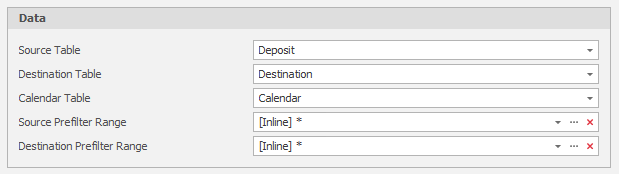
Scheduling
Start Date and End Date
Set hard limits on the duration of the simulations you want to run.
Scheduling Engine Setup Script
This optional setting can be used to control which script is executed when you run your Scenario.
Destination Capacity Field
When Destination Scheduling simulation is enabled, you'll need to set your Destination table (in the Data group) and your Destination Capacity field (in the Scheduling group).
Values in the Capacity field determine how much quantity a Destination Leaf can hold.
Destination Initial Percentage Filled Field
Anywhere from 0% (default) to 100% of each productive process can be pre-scheduled (per Leaf). Assigning an Initial Percentage Filled Field reconciles your data with any material that has already been moved to ensure you are only scheduling material that has yet to be moved.
The Initial Percentage Filled Field will only link to a Percentage Field type.
Destination Initial Centroid Field
Centroid Fields are populated using the right-click Centroid Calculator utility on a selected Solids table.
In general, floor centroids are used for Source/Deposit Centroids and roof centroids are used for Destination Centroids.
Calendar Start Date Field
If using a Calendar Table (See above), a Calendar Start Date Field must also be set.
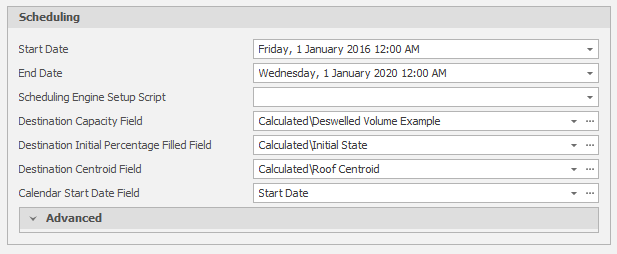
Advanced
Advanced settings allow you to enable shared destination paths and enable task prioritisation.
Shared Destination Paths
Select this check box to allow Destination Paths to be shared by equipment.
Release Active Task at Every Calculation
With this check box option selected, any time that an item of equipment finishes a task, that equipment will check its task list for the highest priority available task.
The benefit of this setting is that it promotes adherence to task prioritisation. The downside is that it may cause overshooting or a failure to honour constraints, especially when those constraints change during the schedule.
Tolerances
Source/Destination Path Completion and Task Completion tolerances ensure that ...
Zero Time settings ensure that ...