

Apply Filter to Output Schedule
When you filter the Animation View by Source/Destination Range, Equipment and/or Processes, when the Output Schedule window has focus, click the Apply Filter to Output Schedule button to apply the same filter to the Output Schedule:
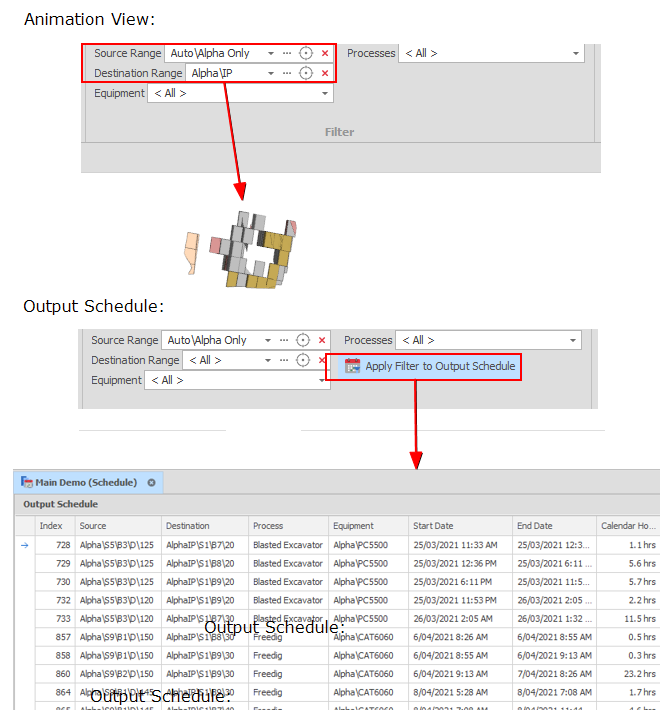
Click Clear Output Schedule Filter to clear the filter. The Animation View filter is unaffected.
