

Spreadsheet Copy/Paste Format
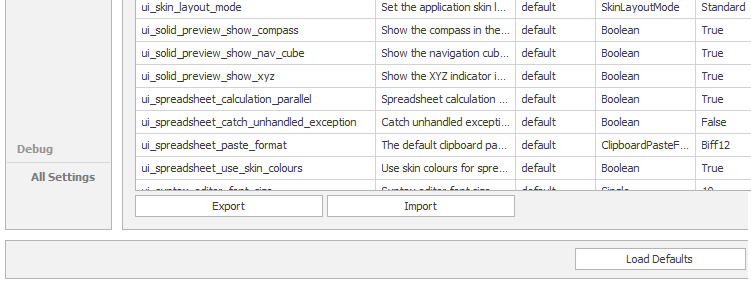
In File > Settings > All Settings, a ui_spreadsheet_paste_format user setting defaults to a setting which allows a large number of rows to be pasted into a spreadsheet.
BIFF clipboard and file formats (Biff5, Biff8, and Biff12) are Microsoft Excel's internal binary structures used to store spreadsheet data. When you copy cells, Excel places these binary formats on the system clipboard so other apps can read the styling, numbers, and strings.
-
Biff5: Used for Excel 5.0 and 95 files, supporting older 16-bit/32-bit structure limits.
-
Biff8: Used for Excel 97 through 2003 (.xls files), which became a long-standing baseline standard for spreadsheet clipboard transfers.
-
Biff12: Used for newer Excel binary workbook formats (.xlsb).
The default setting is Biff12. If you prefer to limit the number of rows that can be pasted, change the setting to Biff8.
For information on other file formats that use the clipboard, refer to the relevant Microsoft documentation: File formats that are supported in Excel