

Dome Token User Setup
Step 1
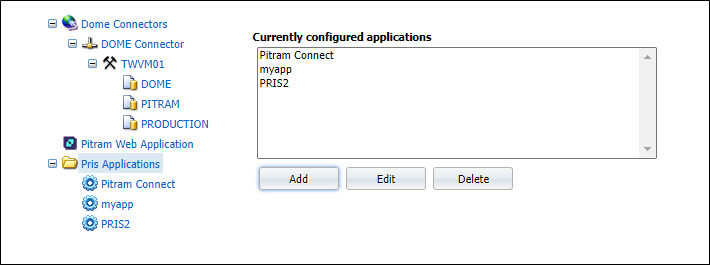
From Dome Manage Connectors and Applications, add a new application which we want to access PRIS via our security tokens, where the user/roles are (currently) managed via Dome.
In the example below, we have added myapp:
Step 2
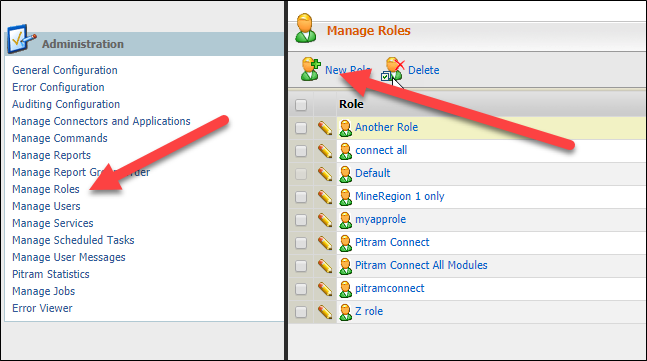
Go to the Manage Roles page, and add a new role for the new application:
Now add actions.
Currently, we have these “hardwired” to each of the PRIS base resources:
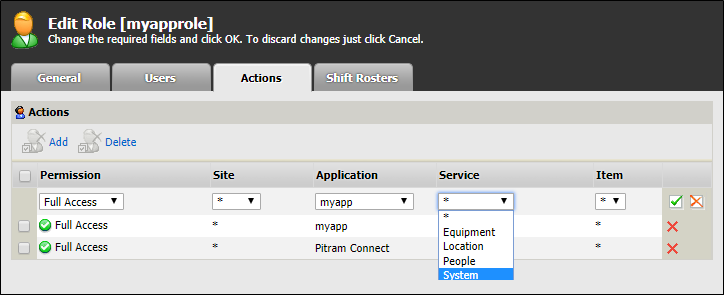
NOTE: The * for service does NOT currently work
Each "Service" (claim) needs to be added individually!
Note in the above, for this role, I am actually able to mix applications (but we probably wouldn't?)
Step 3
Add users to the role, as per normal.
Step 4 (test)
Test what Dome returns.
We can see the data from Dome by using the test route:
http://localhost/prisdev//v1/system/security/authenticateandgetclaims/myappuser/myappuser
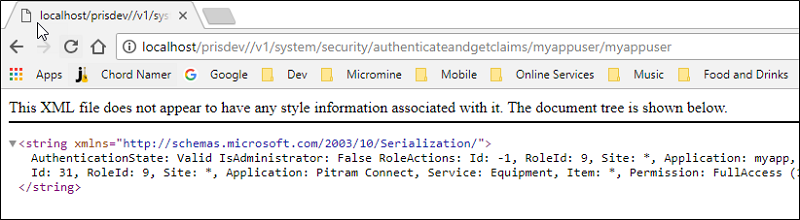
So the data we have is:
AuthenticationState: Valid
IsAdministrator: False
nRoleActions:
Id: 30, RoleId: 9, Site: *, Application: myapp, Service: Location, Item: *, Permission: FullAccess (1)
id: 31, RoleId: 9, Site: *, Application: Pitram Connect, Service: Equipment, Item: *, Permission: FullAccess (1)
RoleMineRegions:
Step 5 (test)
Get a token using this new user.
This is a POST request, so we cannot use a browser and will need to use some test tool such as Postman:
We should see the following:
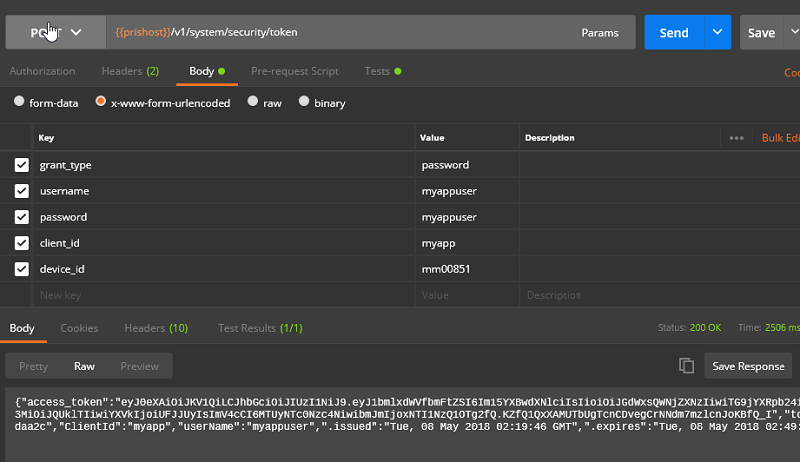
We can see the field access_token which contains the encoded claims against that user.
This is now what is passed in the header of all PRIS requests, and is validated against the route.
This using token security page for more information on this.
You can now use this login an any external PRIS consuming application.
Notes / Shortcomings:
The list of actions in Dome is currently hardwired. Would be good to be able perhaps either select these, but have the option of adding anything, which could then be configured against any PRIS route
We don't seem to actually use "application" anywhere in the security.