

Grade Copilot
This
 Machine Learning
Grade Copilot Auto Load Colour Options
The Colour field and Colour set options have been added to the Auto load options on the Create Output tab of the Grade Copilot.
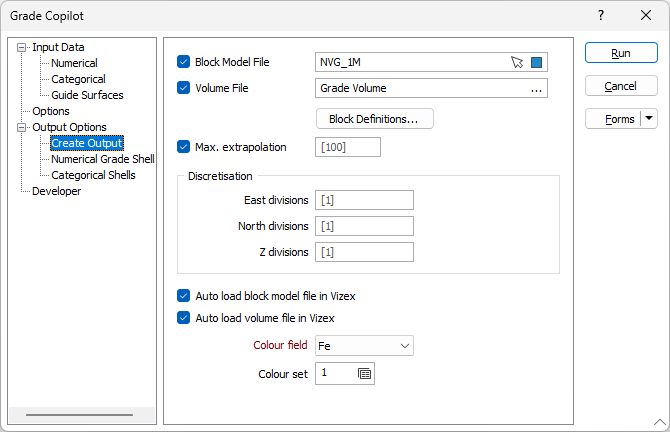
When you select to auto load a block model or volume output file in Vizex, you can select the Colour field to be used for display from the drop down provided. Optionally, a Colour set can be specified for the display.
For more information, see Create Output.
The Block model name and filter used for the Block Model Report are now written to the report file.
When exported to Excel, the name of the block model and any filter used will be displayed above the Spatial Constraint Conditions data: