

Block Model
This
 Block Model
Autofill Depth Ranges
The Autofill tool has been added to the Depth Ranges grid for the Simple Report tool on the Block Model tab, in the Reports group.
If you click the Autofill button in the grid toolbar, you can configure the entries for the ranges using the Depth Ranges Autofill dialog:
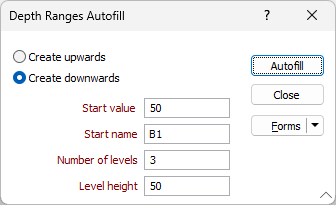
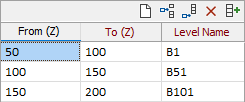
A specified number of Depth range levels can be automatically calculated in an upwards or downwards direction at a given height with a start value and name for the first level. The name for any subsequent depth ranges created will be appended with the depth value for the level - e.g.:
For more information, see Categories.
Block Model Autoload Quick Display
Automatically loading a block model for display (using Autoload) from the Create Blank Block Model and Combine Block Model forms will now use the Quick Display Options from the Vizex Layer Block Model form:
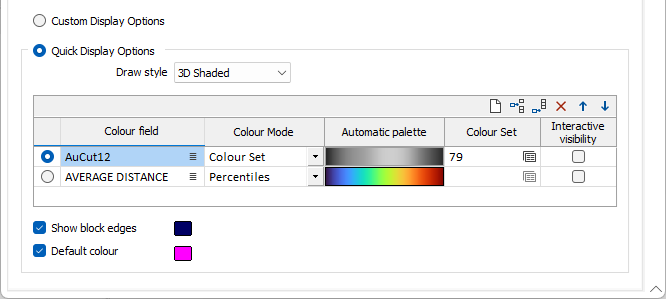
Previously, block models would autoload using the Custom Display settings.
For more information, see Create Block Model and Combine.