

Output
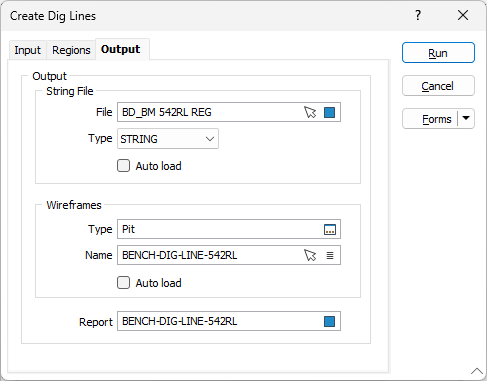
On the Output tab of the Create Dig Lines form, specify the names and types of the output files that will be generated by the process.
String File
Dig line polygons are written to a String (STR) file or a Data (DAT) file. Enter, or click on the Select icon (F3), to select the type and the name of the output file. You can also click the Pick from Vizex button to collapse the form and interactively select a layer containing the file to be inserted and return to the form.
To display the data in Vizex once the file has been generated, select the Auto load option.
Wireframes
A wireframe solid is generated for each dig line polygon. Enter, or click on the Select icon (F3), to select the type and the name of the output wireframes. You can also use the Pick from Vizex button (or select the context menu option where available) to collapse the form and interactively select the required Wireframe to insert and return to the form.
To display the wireframes in Vizex once they have been generated, select the Auto load option.
Report
Enter, or click on the Select icon (F3), to select, the name of a Report file. Ore and waste volumes, plus the mass and the weighted average grade for each dig line, are reported.
Forms
Click the Forms button to select and open a saved form set, or if a form set has been loaded, save the current form set.
Run
Finally, click the Run button to run the function.