

Filter to Selected Hole
The Filter to Selected Hole tool in the Drillhole | Viewer tab, in the Hole group is used to filter out records that do not correspond to the selected hole.
-
Click Filter to Selected Hole.

Filtered records will be 'greyed out', highlighting the selected hole:
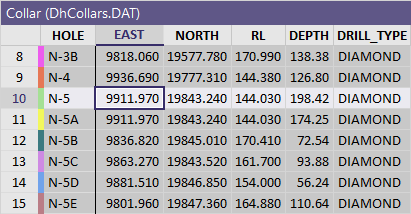
You can use the Hide Filtered Out Records tool on the Drillhole | Viewer tab, in the Filter group to toggle the visibility of filtered record and remove all except the selected hole from display.
Hole visibility is maintained as far as possible, however holes may be reset to a Show All state when other holes are added or removed and the Viewer is refreshed.