

Hole
On the Drillhole | Viewer tab, in the Hole group:
-
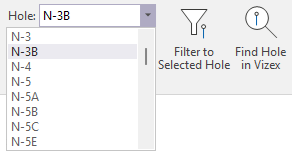
Use the Hole Selection drop-down tool menu to select the hole to display.
-
Click the Previous Hole button to move to the previous hole.

-
Click the Next Hole button to move to the next hole.

-
Click Filter to Selected Hole to filter out records that do not correspond to the selected hole.

-
Click Find Hole in Vizex to zoom to the selected hole in Vizex (if loaded).
