

Imaging
Use the Input tab of the Imaging form to select the input data for the images you want to display downhole:
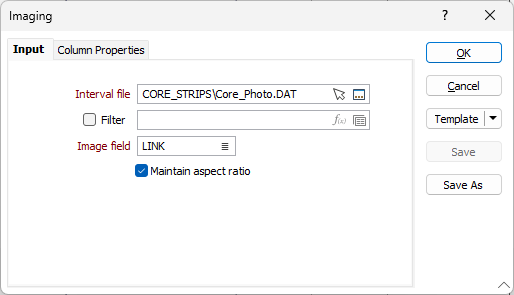
Interval file
Double-click (or click on the Select icon) to select the name of the Interval file that contains the image data you want to display, with each image referenced to a Hole ID and a From/To interval.
Optionally, select or create a filter to limit the data that is processed.
If you select the Filter check box, you can select an existing filter or create one using the Expression Editor by clicking the icon.
Image field
A field in the Interval file must contain the names of the image files that will be shown in the column. Double-click (or click on the List icon) to select the field.
Maintain aspect ratio
The Maintain aspect ratio option will centre the image if the column is too wide. If the column is too thin then the image will have its right edge clipped to fit the column: