

Filters
General
Use the Filters tab of the Gantt Settings window to setup filters that determine which groups are visible in the chart based on the Equipment and Processes you select.
As discussed in the overview of the Gantt Charts topic, filters allow you to remove groups from the Gantt Chart view but not affect the grouping of surrounding tasks.
You can also filter by Job Minimum Duration and a specified Start Time (defaults to Schedule Start) and End Time (defaults to Schedule End). Use the drop-down to select a time using the Calendar control.
Source and Destination Levels
Use the Source Levels and Destination Levels groups to filter by Source Level and Destination Level Positions.
Ranges
Use the Ranges group to filter by Source Range and Destination Range (each range defaults to an Inline “*” (all) range.
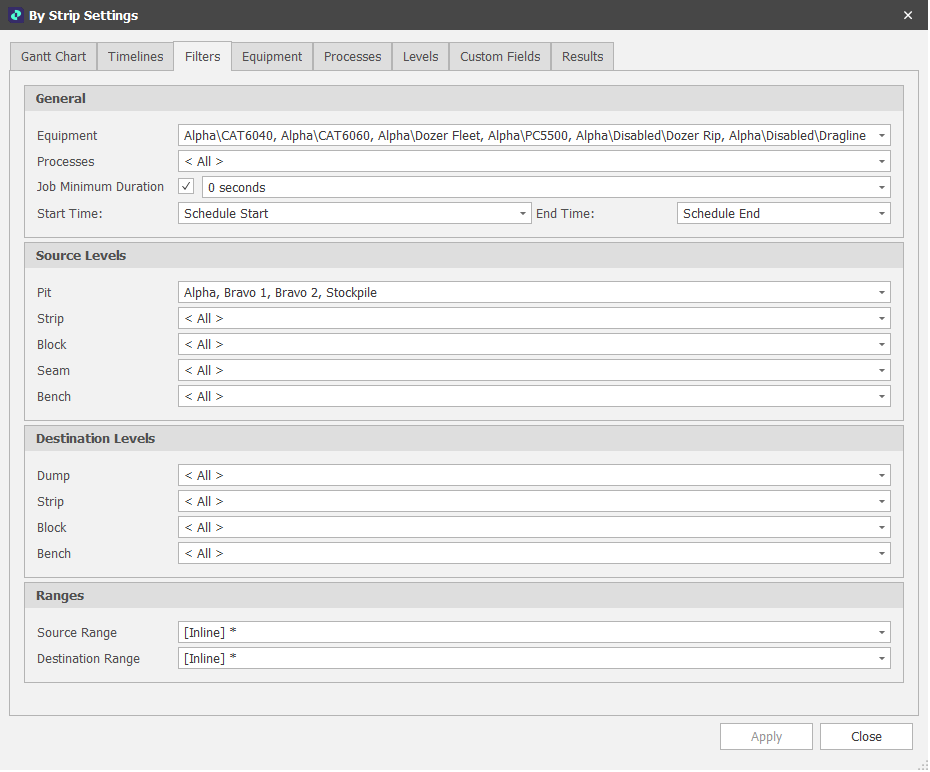
Gantt Settings Filters tab
Use the Source Levels group to filter by Source Level Positions.