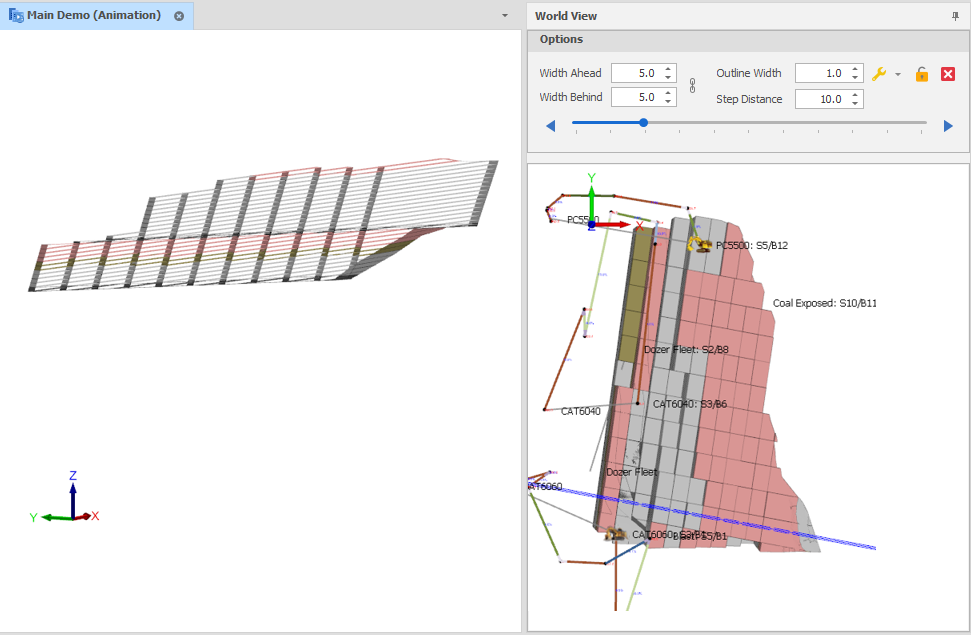
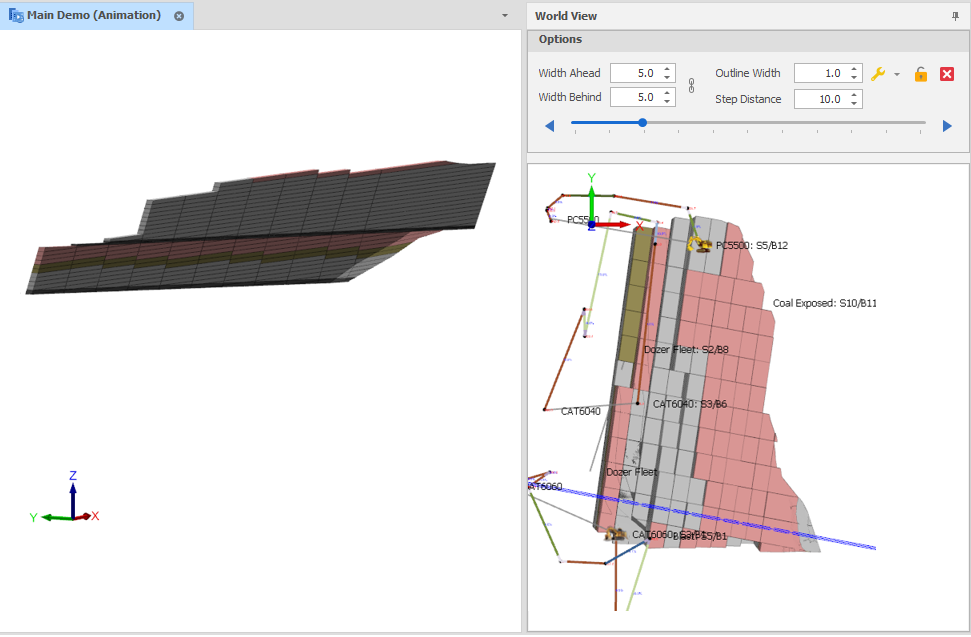
Clip Mesh Mode
Use the Clip Mesh Mode drop-down menu to toggle whether clipped (layer triangulation, triangulation, block model) solids are capped and outlined.
Adding caps and outlines makes it easier to see the exact angle at which the solids were sliced. Selection of those solids is also easier.
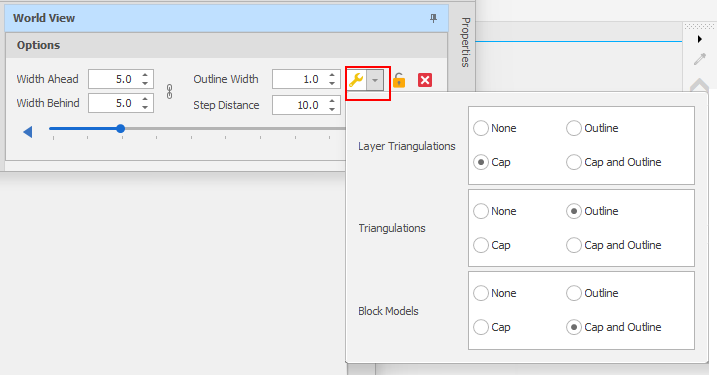
Clip Mesh Mode
You can set defaults for the same settings in Tools > Settings > All Settings:
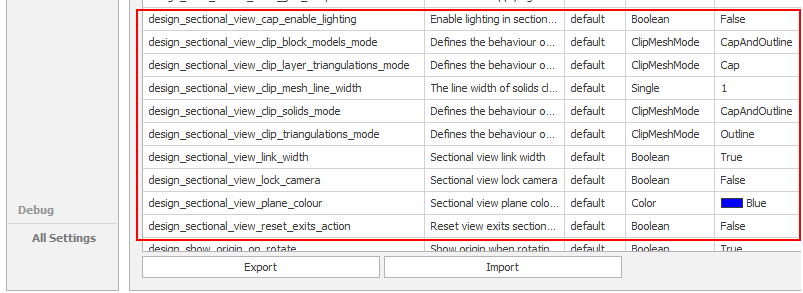
The design_sectional_view_cap_enable_lighting setting provides more realistic lighting, however it is generally easier to see the caps when the lighting is turned off ( the default is set to False).
If caps are not rendered as expected, ensure that solid and triangulation rendering mode is set to Shader. If you are experiencing visual artefacts, ensure your meshes have closed geometry. You should also ensure that you are using a dedicated graphics card with drivers that are up-to-date.
Cap outlines are rendered as a red line on triangulations which are not already capped or are single-sided. If you choose to display cap outlines for surfaces, this makes them easier to see in sectional view.
Show/Hide Sectional Caps
To show/hide sectional caps for layer triangulations, triangulations and block models:
In the Design Window, right-click on the selected layer and select Sectional View | Show/Hide Sectional Cap.
 Uncapped Example