

Stage
Use the tools on the Mining | Pit Design (Dynamic) tab, in the Stage group to configure multiple stages for your pit design and switch the display between the stages you design.
-
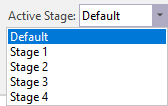
Use the Active Stage menu to select the active stage for the pit design.
-
Click the Hide Inactive Stages button to enable or disable display of stages other than the active stage.
-
Click the Stage List button to open the Stage List form to configure the phases of your pit design.
