

Recode Selection

The Recode Selection tool can be used with either Drillholes or Points data.
Drillholes
If you select the Drillholes option, a drillhole database and related interval files must be selected.
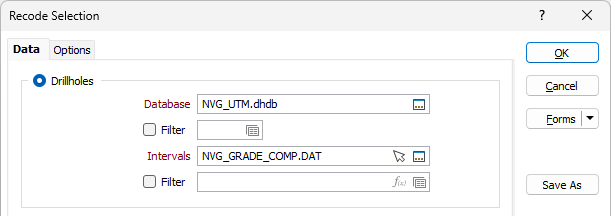
Drillhole Database
Enter (or double-click to select) the name of a drillhole database. If you select an existing database you will be prompted to overwrite the database or cancel.
You can also press F5 to create a new drillhole database.
Intervals
Enter (or double-click to select) the Interval file from the selected drillhole database. You can also click the Pick from Vizex button to collapse the form and interactively select a layer containing the file to be inserted and return to the form.
Points
If you select the Points option, a Points file must be specified.
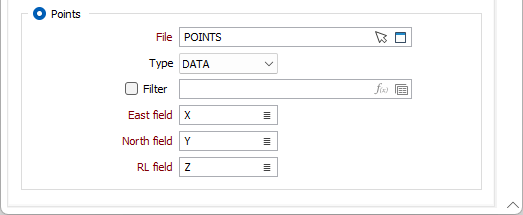
File
Select the file type and double-click to select the file containing the points you want to use in the process. You can also click the Pick from Vizex button to collapse the form and interactively select a layer containing the file to be inserted and return to the form.
Optionally, select or create a filter to limit the data that is processed.
East and North and RL fields
Specify the names of the fields in which Easting, Northing, and Z coordinates are stored in the Points file.
Forms
Click the Forms button to select and open a saved form set, or if a form set has been loaded, save the current form set