

Drillhole Collar To Target

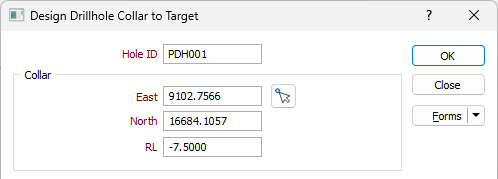
Hole ID
Enter a unique identifier for the hole in the Hole ID field. The value you enter in the field will be the allocated to the name of the drillhole you are planning. This field is required to build the planning hole.
Collar
Use the East, North and RL fields in the Collar group to define the location of the collar for the planned drillhole.
 To set the Collar location, it is useful to click the Pick Point icon to collapse the form and select the Collar location in Vizex interactively.
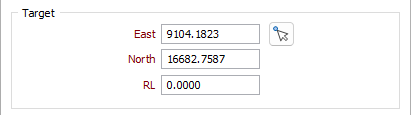
Target
Use the East, North and RL fields in the Target group to define the target location for the planned drillhole.
To set the target location, click the Pick Point icon to collapse the form and select the location in Vizex interactively.
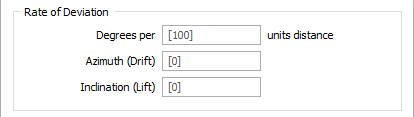
Rate of Deviation
The segments that you add
Degrees per units distance
Enter a value in the field to define the distance to which the rate of deviation applies. The unit of distance, determined by the project settings, is displayed at the right of the field. When left blank, this value will use the Segment length.
Use the rate of deviation options with care. Drillhole deviation is the result of a complex interaction between the drilling parameters (bit type, feed pressure, rotation speed etc.), the cutting or hammering action of the bit, the rocks through which the hole passes, and the angle between the drill bit and the fabric of the country rock. Changing any one of these parameters may result in significantly different rates of deviation compared to other holes.
In a new project area, you should plan for straight holes until you have enough drilling to understand how the prior holes deviated. Even with this knowledge you should always consider any planned deviation to be an approximation of the completed drillhole.
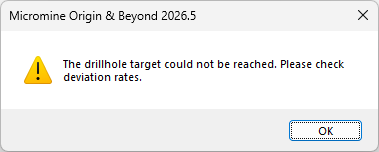
The application will check to make sure the drillhole is possible. If the deviation rate is too large, the drillhole will loop back on itself before reaching the target. In this case, an error will be displayed:
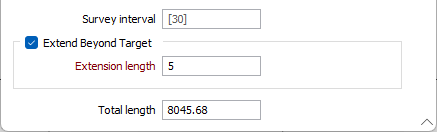
Survey interval
Enter a Survey interval value (in grid units) or accept the default of 30.
Extend Beyond Target
Select this option to lengthen the hole by a specified length beyond the target location.
Extension Length
If Extend Beyond Target is selected, enter an Extension Length value for extension beyond the target location
Total length
The Total length value is calculated from the Collar and Target values as well as any applied Extension length. The Total length will be updated automatically as the other values are modified.
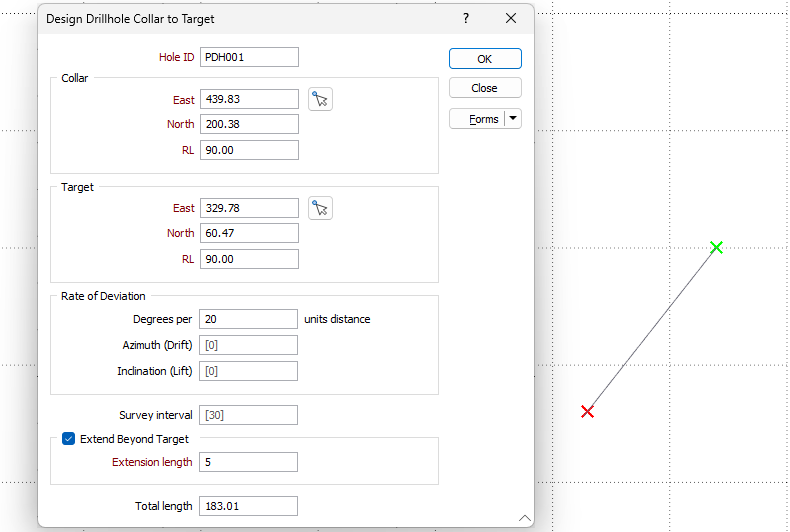
A dynamic preview of the configured details is displayed in Vizex so you can check the requirements before running the tool.
Close
Click Close to close the form without finalising the hole.
Forms
Click the Forms button to select and open a saved form set, or if a form set has been loaded, save the current form set.