

What’s New
New features and enhancements related to the Nexus Cloud Licensing page are described here:
 Licences
Licence Usage vs Denials
The Licence Usage vs Denials section has been added to the Licence details page to display information on the usage for the licence over the previous 28 day period, as well as any Denials in the same time.

Hovering on a bar in the graph will display the date of the usage / denial and the number of users.
This information is graphed separately in the History Usage Report and Denials Reports.
Time Credits Licences
A new licence format, Time Credits, is now supported for Micromine Spry and Advance in Nexus Cloud Licensing. With a Time Credits licence, time to be used for application sessions can be purchased and consumed, as well as reported on.
Time credit licences are beneficial for organisations with a large number of users who may utilise Micromine software for short periods of time, such as an hour session per day.
In the Licence Manager, the Time credits balance information is displayed in a panel on the right:
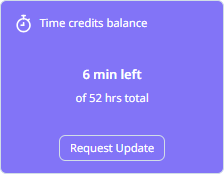
From the information in the panel, you can view the time left and total hours for your licence, as well as use the Request Update button to request more hours or an updated licence. The button, when activated, will open the Request Micromine Licence Update form that can be filled out and submitted.
Time credit licences cannot be borrowed unless they are a hybrid overallocation licence which contains assignable seats. In the Licence manager, overallocation licences will be displayed with the time credit balance and the available seats:
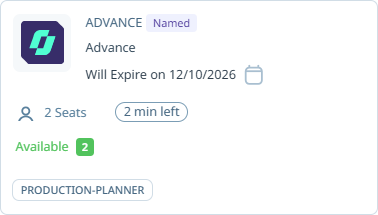
As soon as a seat is released, the consumption of time credits will be stopped and a seat can be assigned for use.
The Time Credits Usage Report has been added to the Reports page to provide information on the historical usage of the time credits consumed by User or by Licence.
For more information on the new report, see Manage Licences.
Reports
Time Credits Usage Report
The Time Credits Usage Report has been added to the Reports page to provide a historical usage report for time credits, showing consumption over time by user and by licence.
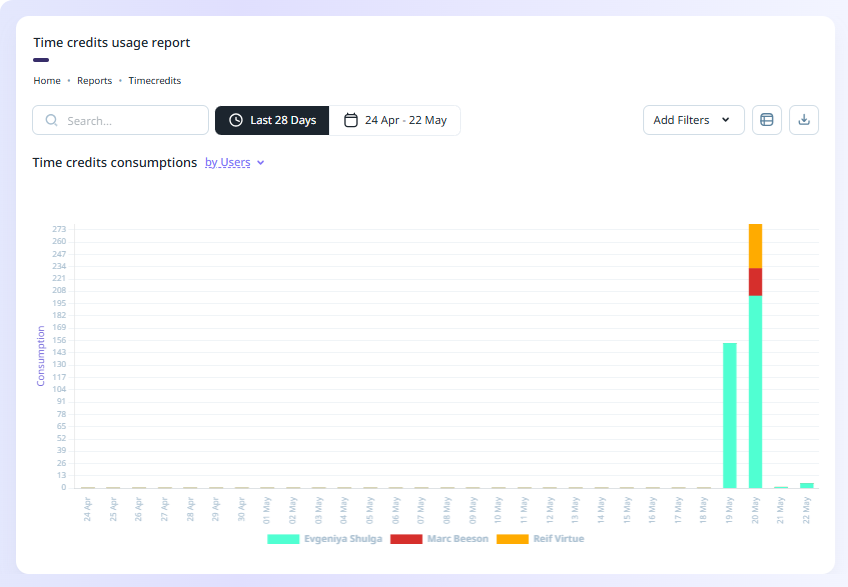
As with all available Reports, the Time credits usage report can be viewed in Graph or Table view, exported to CSV and/or PDF and supports a variety of filters.
Note: Time credit licences are currently available for Micromine Spry and Advance.
For more information on the new report, see Time Credits Usage Report
SSO Configuration
Single Sign-on (SSO) Support
Support for Single Sign-on (SSO) authentication has been added to the new Authentication page for Nexus Home.
A Single-sign on (SSO) authentication can be configured to provide access to a range of services with a single set of credentials - such as your company email address.
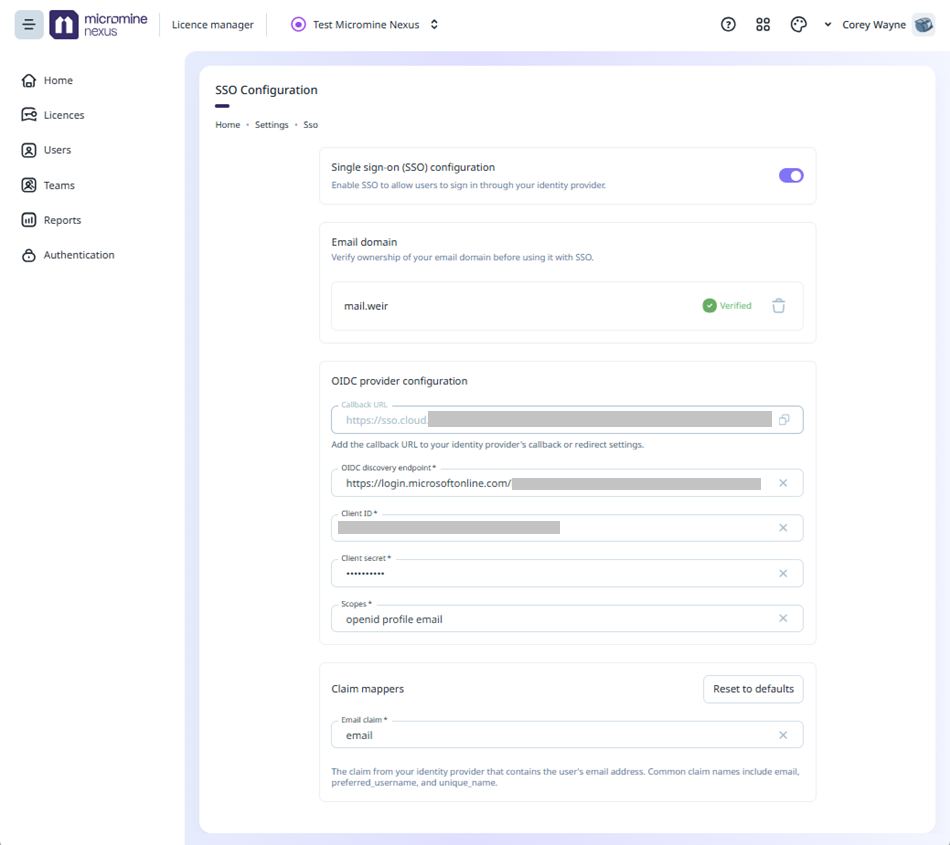
The options on the Authentication page are used to verify your email domain and configure OpenID Connect (OIDC) authentication. OIDC is an identity layer protocol which authenticates access to an application where a user or an app can be authorised for use (by the OpenAuth 2.0 protocol). OIDC providers operate an identification service which ID tokens. Trusted OIDC providers include Google, Microsoft, AWS and GitHub.
When SSO has been configured correctly, you will be able to login to Nexus Home using your single sign-on credentials.
For more information, see Authentication.