

Docking a window pane
A window pane is a dockable window. When you "dock" a window pane you position it along the edge of another window or pane. To dock a window pane:
- Click and hold down the mouse button in the title bar of the pane.
- Drag the mouse to move the pane where you want it.
- If you move the pane over a panel (or the workspace, if no panels are open), a group of (Left, Right, Top, Bottom) docking guides are displayed:
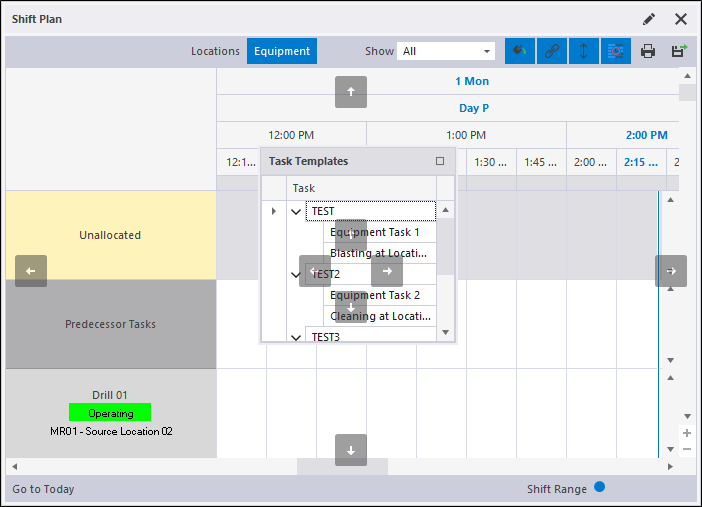
- As you move the mouse cursor over the docking guides, a silhouette indicates where the pane will be positioned when you release the mouse button: