

Form Set Report
To generate a report on one or more form sets:
- On the Home tab, in the Forms group , click Form Set Manager:
- Select the form sets to be reported on. To select multiple form sets, use the CTRL or the SHIFT key with the mouse.
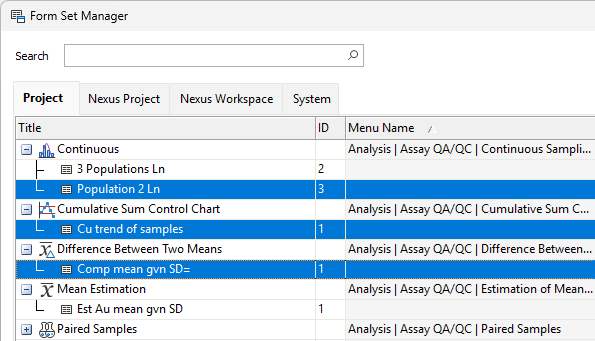
- Right-click and select the Report option to open the Form Set Report form:

Alternatively, on the Vizex tab, in the Layer group, select Saved View | Saved View Manager:

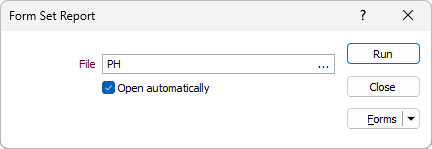
File
Enter (double-click or click on the ellipsis button to select) a destination (.XML) file name.
Open automatically
Select this option to automatically open the report once it has been generated.
Run
Click Run to generate the report. An XML report file is generated which details the metadata and the parameter values of the selected form sets and all nested form sets. The report will open in the default XML viewing application on your machine.