

Generate Offset Angled String
On the Design tab, in the Editing group, Click More…  and select Generate Offset Angled String to create a new string at a specified distance from a selected reference point, and at a specified angle to the string segment that is contiguous to the selected point.

If a point on a string is not selected, the Selection Assistant prompts you to select the string reference point from which the new string will be offset. Once you have accepted the selection, you can enter parameters in the Offset String Properties form:
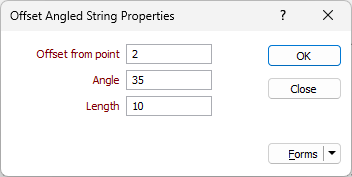
Offset from point
Specify by how much the new string will be offset from the string reference point.
Angle
Specify the angle of the string that will be offset from the string reference point.
Length
Specify the length of the string that will be offset from the string reference point.
Preview
As values are entered in the form, a preview of the new string is dynamically updated in Vizex.
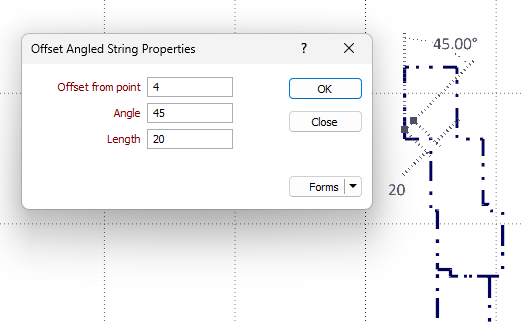
If you are happy with the result, click OK. Otherwise adjust the parameters you have entered to update the preview until you see the results you require, and then click OK.