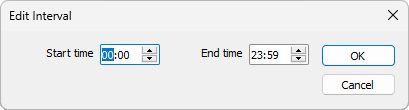
Edit Time Interval
You can edit a time interval when you create or edit a calendar or calendar exception.
In the Edit Interval dialog:
- Select the HOUR:MINUTE:SECONDS component of the time you are editing.
- Enter a time or use the mouse to adjust the toggle controls upwards or downwards until the required time is set.
- Click OK to accept the Start and End times and you have specified.