

Rename a file
Use the File | Rename command on the Script ribbon in the Macro Commands group to use a form to rename a file to a new file name.
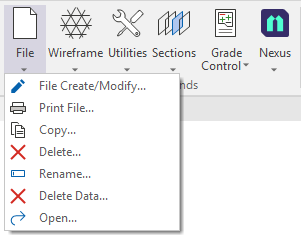
The Rename option allows the name of a file to be changed. You can rename and set the extension for multiple files simultaneously using Wildcards.
- Select Rename from the File menu in the Macro Commands group.
The Rename File form is displayed:
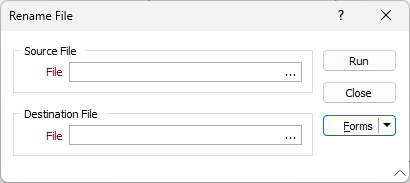
- Select the file to be renamed using the ellipsis in the Source File field.
- In the Destination File field, use the ellipsis to navigate to and select the location for the renamed file.
- Set the extension for the renamed file and enter the new name in the File name field of Windows Explorer, opened to the folder where it is to be saved.
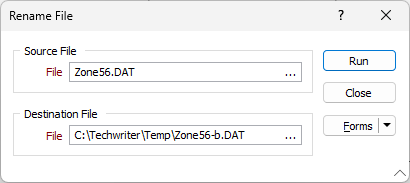
- Click Run to rename the selected file in the specified location.
- Click Close to close the Rename File form.
Note: Renaming the file to a different location will remove the original file and copy it, renamed, to the new folder. No confirmation prompt will be provided, to ensure no interruption to the macro command process.