Project Explorer Pane

To open the current project folder in the Windows File Explorer, on the File tab, in the Project group, click Explore (or press CTRL + E).
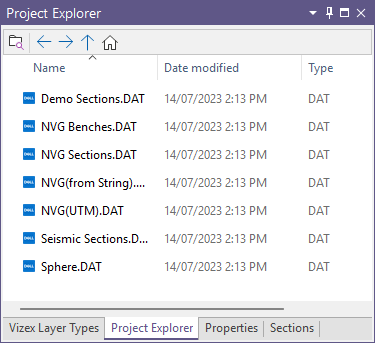
The tools in the Project Explorer toolbar are as follows:

|
Opens Windows® File Explorer in the current project folder. |

|
Navigate to the Previous directory in Project Explorer |

|
Navigate to the Next directory in Project Explorer |

|
Navigate Up one level in Project Explorer. |

|
Navigate to the folder for the current project. |
You can also:

-
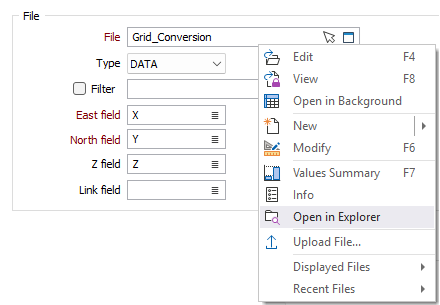
In a form, right click on a File input and select Open In Explorer to locate that file in the File Explorer: