

Copy a file
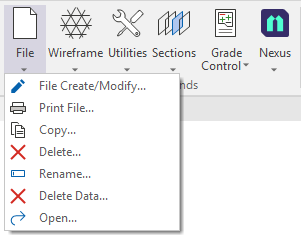
Use the File | Copy command on the Script ribbon in the Macro Commands group to use a form to copy the contents of a file to a new file name.
The duplicate file can be saved in the current project or in another folder entirely. Multiple files can be copied simultaneously using Wildcards.
- Select Copy from the File menu in the Macro Commands group.
The Copy File form is displayed:
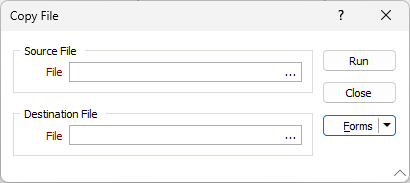
- Select the file to be copied using the ellipsis in the Source File field.
- In the Destination File field, use the ellipsis to navigate to and select the name of the Destination File. The current project is the default path, but you can select an external path using Windows Explorer.
- Click Run to copy the selected file to the specified location.
- Click Close to close the Copy File form.
Use this tool as a quick way to create files that have the same structure or to backup a file on which you intend to perform irrevocable modifications.